BIGULATOR
A Circuit Model of a Rare Analog Mastering Clipper
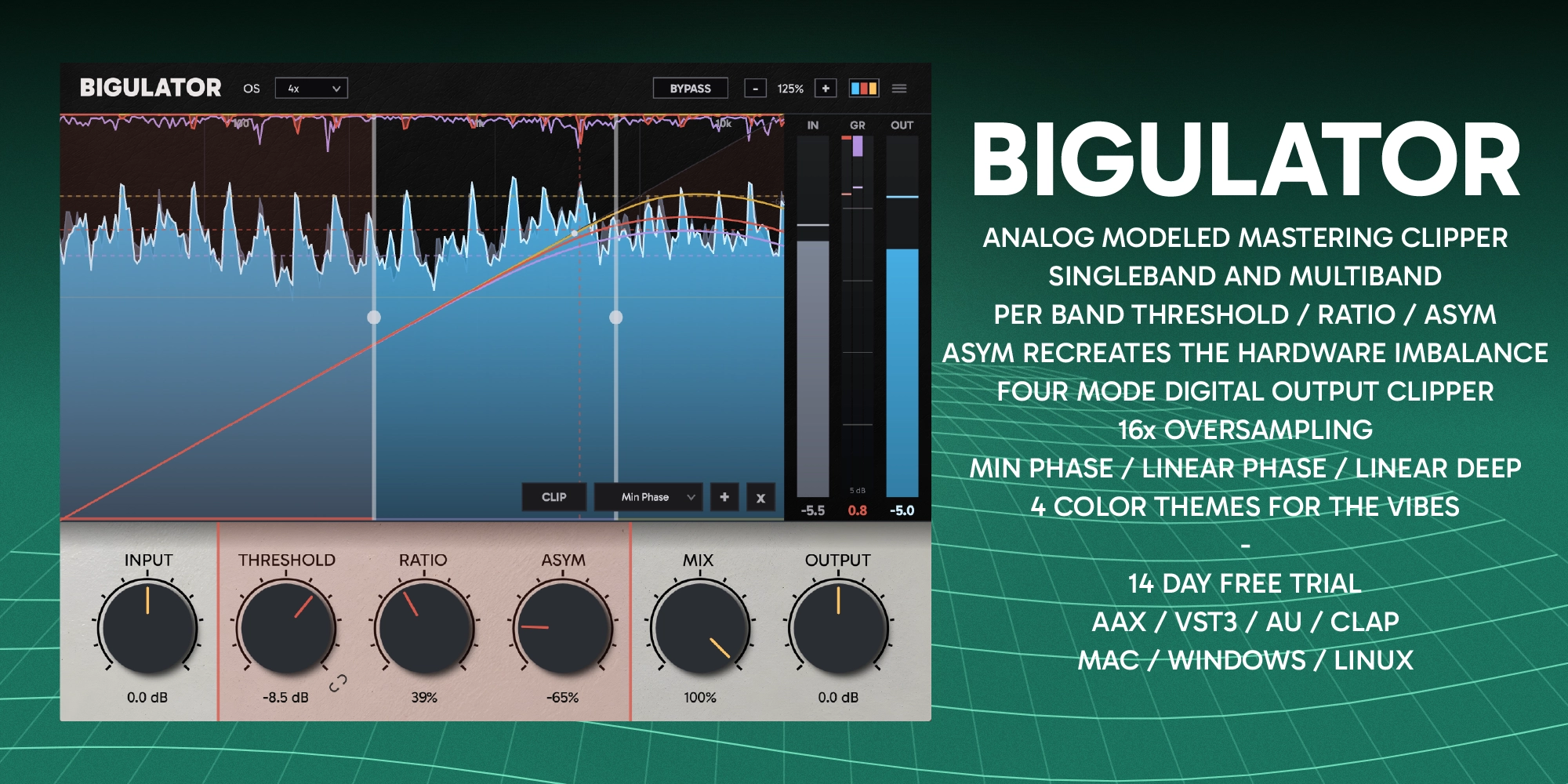
A carefully executed model of an obscure analog mastering clipper that gets loud without ever sounding like it is working. The unusual circuit is the reason: a VCA in series with your audio, its control port driven at audio rate by a peak-skimming rectifier. No envelope. No attack. No release. Bigulator is that circuit, derived from the schematic and fitted to measurements of the real unit, then given what the box never could: multiband operation, oversampling and a multi-voice digital output clipper.
$42 · One-time purchase · 14-day free trial
Analog mastering clipper features
What Bigulator does when it is sitting on your master bus.
Exacting Analog Emulation
Through a combination of circuit emulation and numerous measurements, Bigulator captures the analog heart and soul of this unique mastering clipper, nearly indistinguishable apart from the most extreme settings.
Zero Attack, Zero Release
The rectifier drives the VCA control port at audio rate with nothing in between. Gain reduction at any instant is a function of the waveform at that instant. Somewhere between a clipper, a limiter and a saturator, Bigulator is its own flavor of analog level control.
Symmetrical To Totally Out Of Whack
ASYM is that imbalance on a knob. The two halves of the peak skimmer have separate bias trims, so one side starts skimming a fraction before the other. Modeled exactly as the hardware has it, then expanded into places the hardware cannot go. Perfectly symmetrical, to totally out of whack.
Where It Bites Changes How It Bites
Threshold and ratio are separate controls, but they are not independent. Where the threshold sits changes the shape of the transfer function itself, so the same ratio at two different thresholds is not the same processor. Ratio at 100 with the threshold at 0 and ratio at 100 with the threshold at -10 are two different curves, exactly as they are on the analog unit.
One, two or three bands
Run the circuit across the whole mix, or split and run an independent instance per band. Bands keep their identity as you add more, the two crossovers range freely and may overlap, and each band's gain reduction draws in its own colour so you can see which one is doing the work.
Minimum and linear phase crossovers
Minimum Phase during multiband operation keeps latency low. Linear Phase and Linear Phase Deep split the bands with no phase rotation at all, for mixing and mastering work where you do not want the multiband processing phase artifacts. Deep buys steeper separation for more latency, and every setting reports its delay exactly.
Oversampling to 16x
Analog clipping does not alias. Digital clipping does, and no amount of accuracy in the model fixes it. Run 1x when latency matters or take the nonlinearity up to 2x, 4x, 8x or 16x to push the aliasing products down where the hardware never had any.
Phase-matched parallel blend
MIX blends the processed signal against a dry path tapped before the input trim, so driving harder does not change the dry level. In multiband the dry side carries the same phase rotation the crossover tree applies, so the blend stays comb-free through the crossovers instead of scooping at the corners.
Sum clipper, four voicings
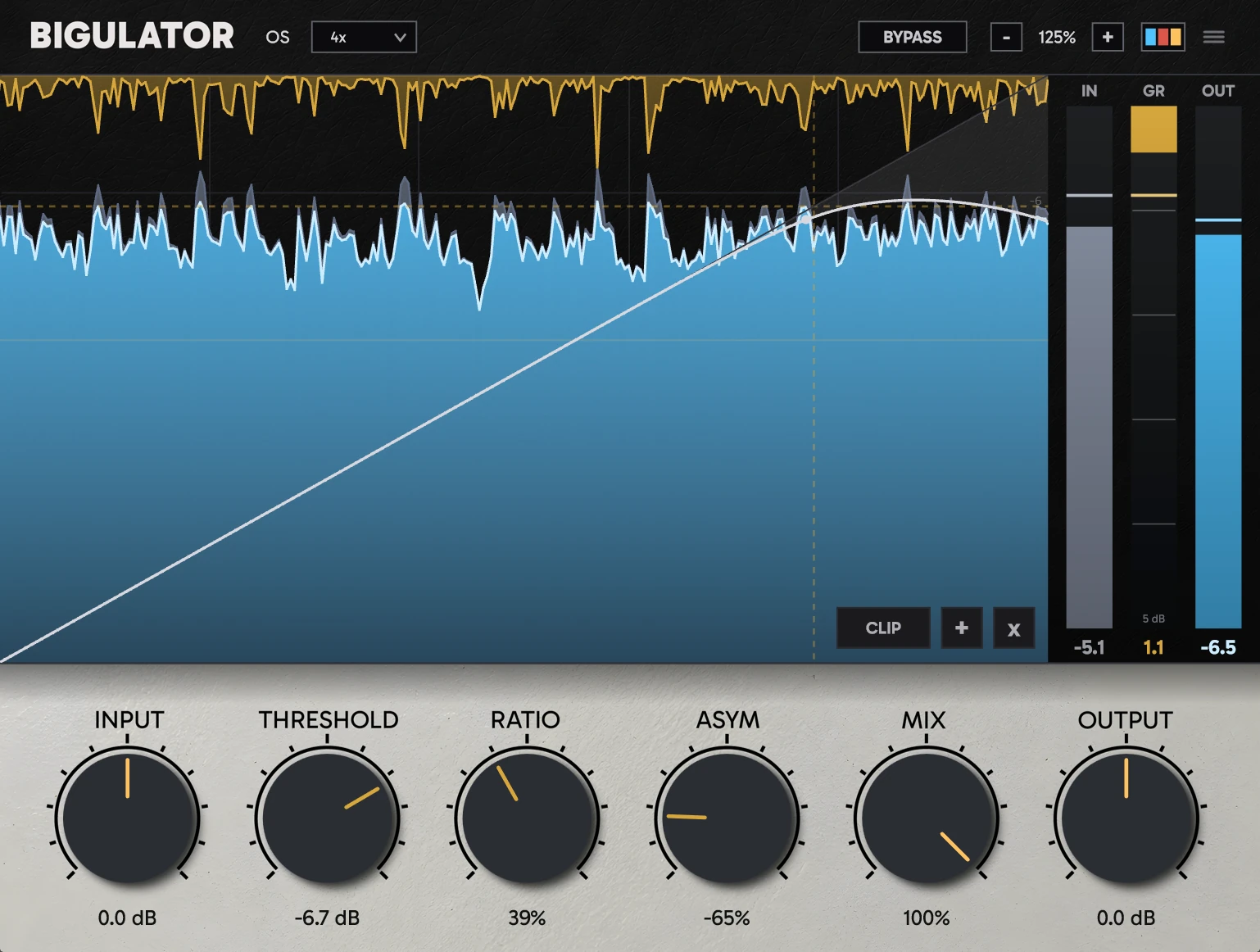
A multi voice digital clipper after the analog model. Tight, Punch, Smooth and Smoother each handle the clip differently. Its ceiling draws a dashed rule across the display, and the output trim runs after it, so level and clip depth stay independent.
See it happening
Input, output and every band's gain reduction scroll past in real time, GPU accelerated so it stays smooth on a high refresh display without eating your CPU.
Windows, macOS and Linux. VST3, AU, AAX and CLAP.
Every format and platform is included in one licence.
Native Linux builds
VST3 and CLAP compiled for Linux. Reaper, Bitwig, Ardour.
CLAP on all three platforms
CLAP for Windows, macOS and Linux.
AAX for Pro Tools
PACE signed AAX for Pro Tools on Windows and macOS.
Apple Silicon and Intel
Universal binary back to macOS 10.13, notarized and stapled. VST3, AU, AAX and CLAP in one installer.
How to use it
Three steps, the same three you would use on the hardware
Set the threshold
Bring it down until the peaks start meeting it and the reduction trace begins to show. INPUT drives harder into the same threshold if you would rather work that way round.
Choose how hard
RATIO is the control voltage the rectifier sends to the VCA. Low is a gentle skim off the tops, high is a firm clip. ASYM decides how much of the unit's own imbalance, and therefore how much even-order colour, comes with it.
Split, oversample, finish
Add bands if one law across everything is too blunt. Raise oversampling if you hear aliasing. Then set the final level with OUTPUT, and reach for CLIP only if you still want more.
Specifications
Formats, platforms, processing and controls
- Plugin formats
- VST3, AU, AAX, CLAP
- Platforms
- Windows 10+, macOS 10.13+ (Intel and Apple Silicon), Linux
- Model
- Circuit-derived gain law, globally fitted to measured hardware captures. No envelope, no history
- Bands
- One to three, freely overlapping crossovers
- Crossover engines
- Minimum Phase, Linear Phase, Linear Phase Deep
- Per-band controls
- Threshold -24 to 0 dB (linkable), Ratio 0 to 100%, Asym -100% to +100% around the measured unit
- Global controls
- Input ±12 dB, Mix 0 to 100%, Output ±24 dB post-clip, host-linked bypass
- Sum clipper
- Four voicings (Tight, Punch, Smooth, Smoother), ceiling -18 to 0 dB, dedicated reduction lane
- Oversampling
- 1x, 2x, 4x, 8x, 16x
- Latency
- Reported and host-compensated at every setting. One sample at minimum phase, 1x
- Processing
- 64-bit internal, stereo in and out, 44.1 kHz to 192 kHz
- Licence
- $42 one-time. Every format and platform included
Frequently asked questions
The circuit, the modelling, and what was added on top
Why does it have no attack or release controls?
Because the hardware has none. The rectifier drives the VCA control port at audio rate with no envelope stage in between, so the gain reduction at any instant depends only on the waveform at that instant. There is no history in the circuit and none in the model. That is what stops it pumping, and what lets it take the tops off peaks without smearing anything after them.
What does the Asym control do?
The two halves of the hardware peak skimmer have separate bias trims, so one half starts skimming fractionally before the other. That small imbalance is what puts even harmonics in the unit's output, since a perfectly symmetric law can only produce odd ones. Bigulator measures the imbalance and exposes it as a control: fully down is perfectly symmetric, centre is exactly this unit, and fully up is ten times its imbalance.
What can Bigulator do that the hardware cannot?
Split into two or three bands and run an independent instance of the circuit on each, with minimum phase or linear phase crossovers. Oversample the nonlinearity up to 16x, which an analog circuit never needs and a digital one does. Blend against a phase-matched dry path. And recall every setting, automate it, and watch the reduction drawn as it happens.
Does it add latency to my mix?
It depends on the settings, and Bigulator always reports its exact delay so the host compensates automatically. Minimum phase at 1x oversampling runs at a single sample. Higher oversampling and the linear phase crossover engines add more, all of it reported, and the reported figure stays inside Pro Tools' delay compensation budget at every supported sample rate.
Is there a free trial?
Yes, 14 days, fully functional with no feature limits and no credit card required. You can activate a licence at any point from the plugin's about panel without reinstalling.
Download the free 14-day trial
Fully functional, no feature limits, no credit card needed
14-day trial · All features included · No credit card required
Activate a license anytime from the plugin's about panel